UI/UX Design
Amazon Internship
During my Summer 2022 UX Design Internship at Amazon, I worked on turning complex, powerful tools more intuitive, accessible, and efficient for the users.
Team
UX Designer (Me)
2 Senior UX Designers
2 Engineering
1 Data science
1 Product manager
Timeline
August 2022 (3 Month)
Skills
Wireframing, Prototyping, Visual Design, User testing, Design System
Background
In 2022, I joined the SageMaker team in the Summer of 2022 as an UX intern where I owned and delivered two projects that simplified the UX
Project 1
Redesigning a core user interface (UI) to simplify an essential workflow. (Launched)
Project 2
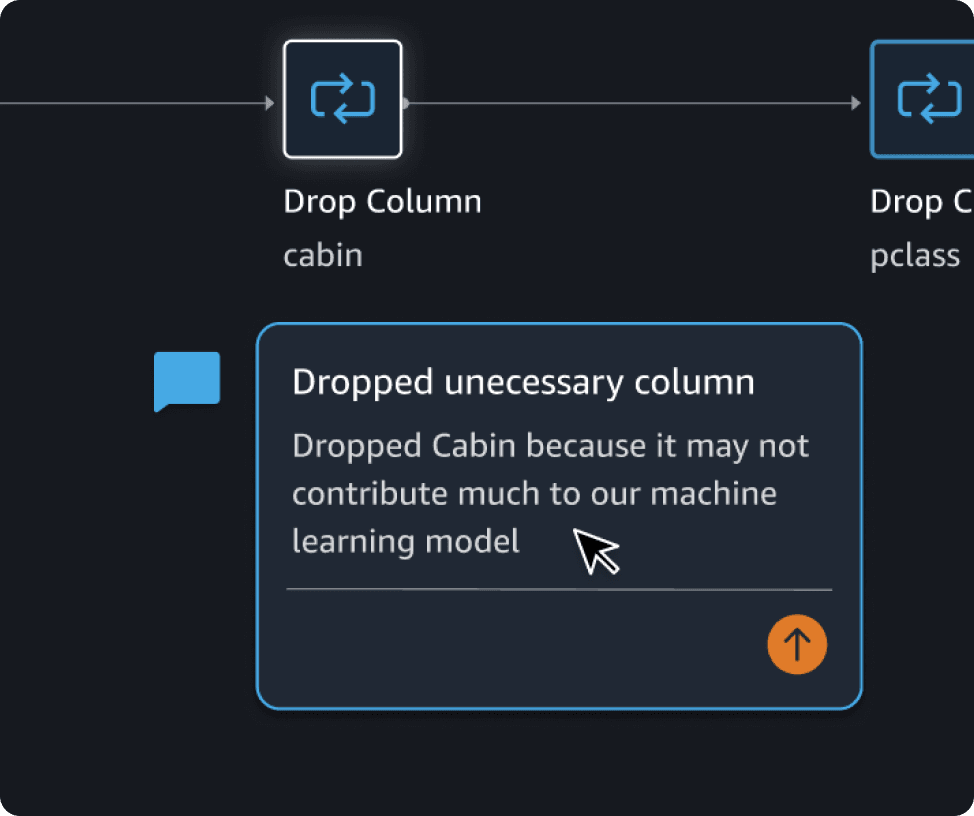
Designing and validating an entirely new comment feature from concept to high-fidelity prototype.
Project 1
Improving accessibility and usability of complex workflows to create a user friendly experience.
Problem
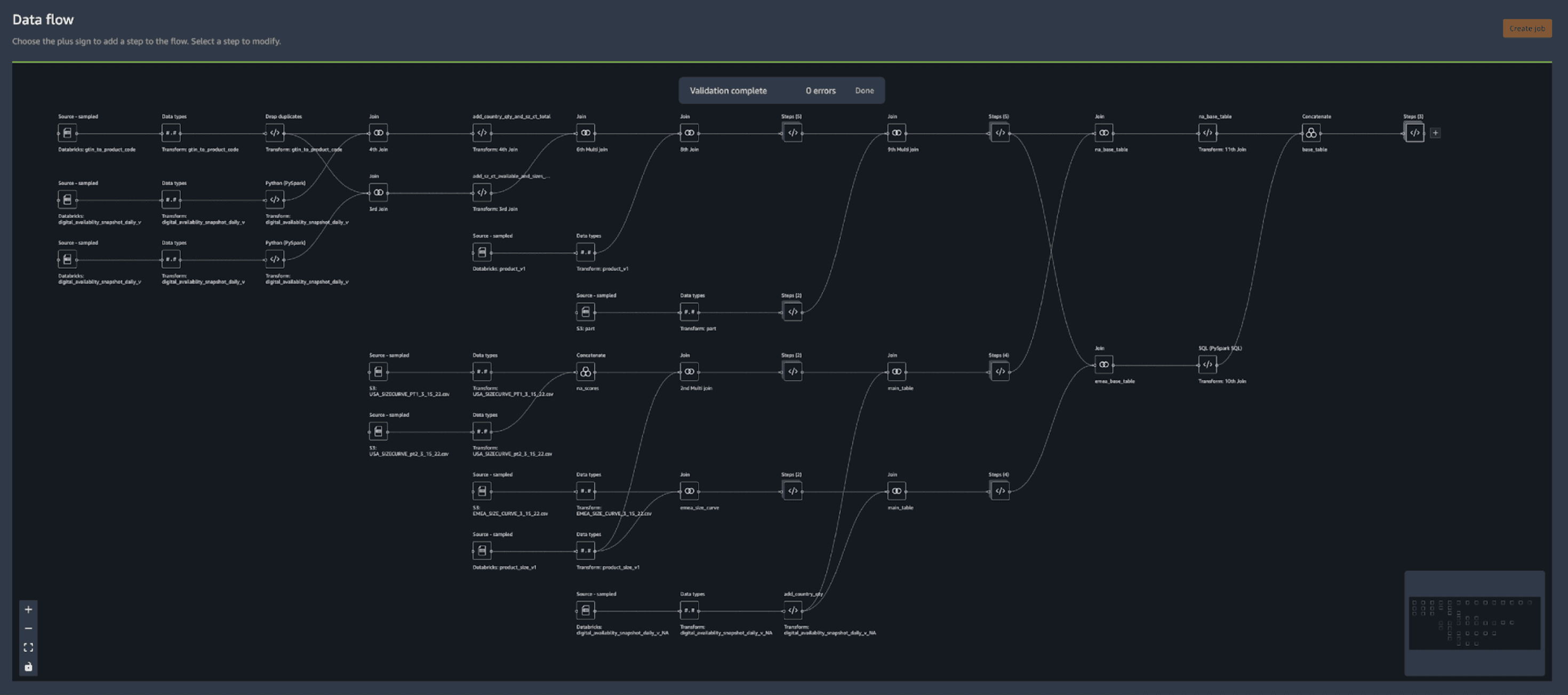
Users struggled to quickly understand their data flow at a glance, increasing cognitive load, confusion, and time to complete their tasks.
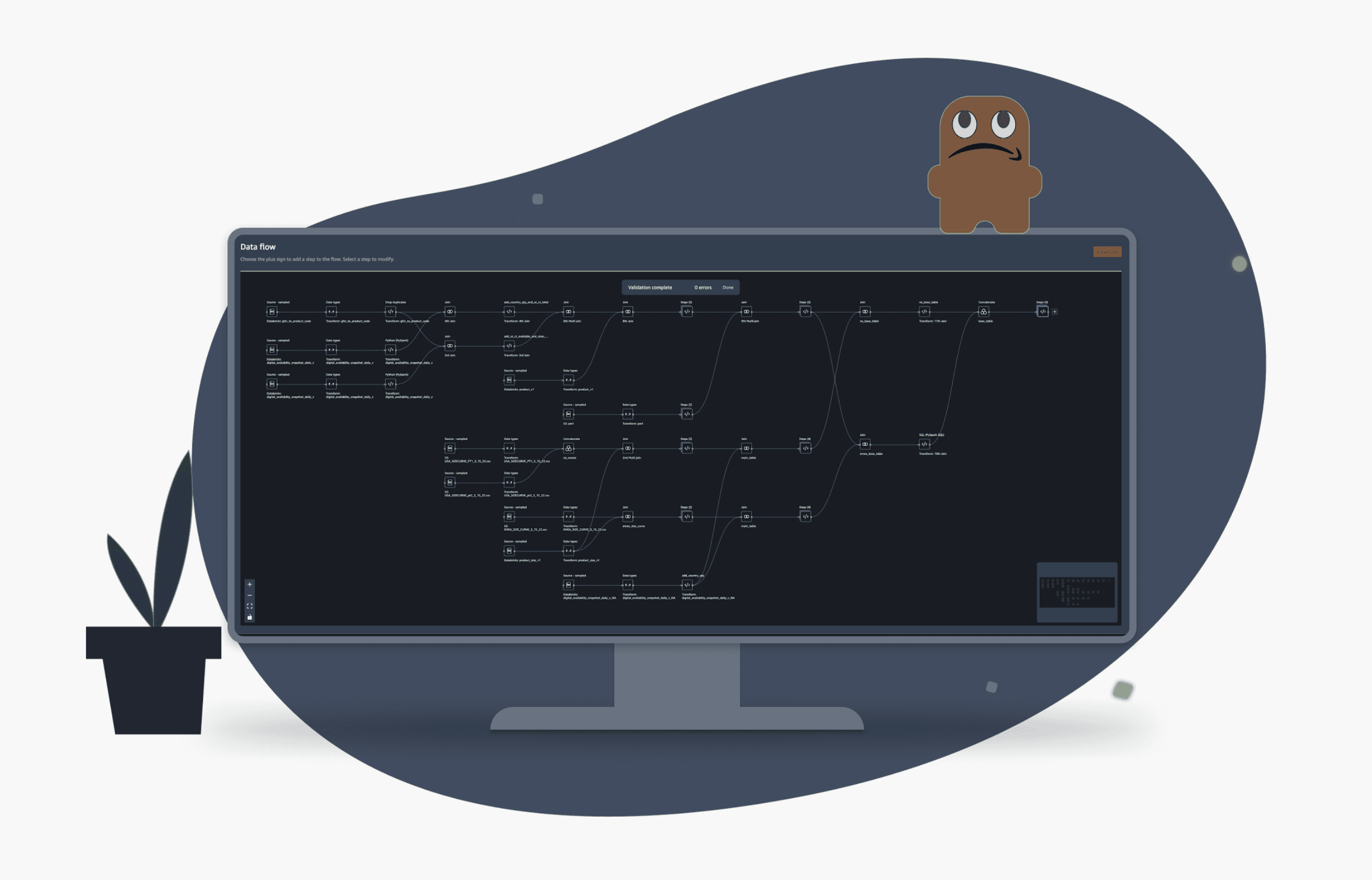
How might we improve the user’s workflow experience by giving them a high-level understanding of the data flow at a glance so that the time for users to prep their data is minimized?
Solution
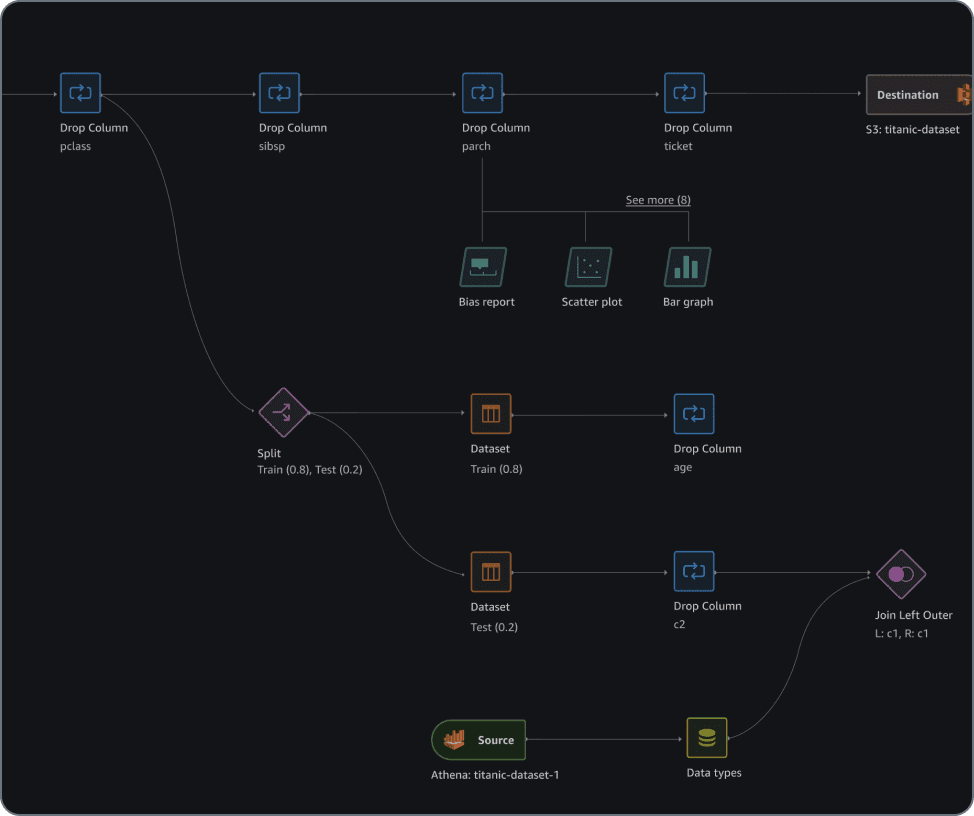
Redesigned the data flow view to improve visual hierarchy and readability so that users can quickly understand their workflow
Slide for before and after
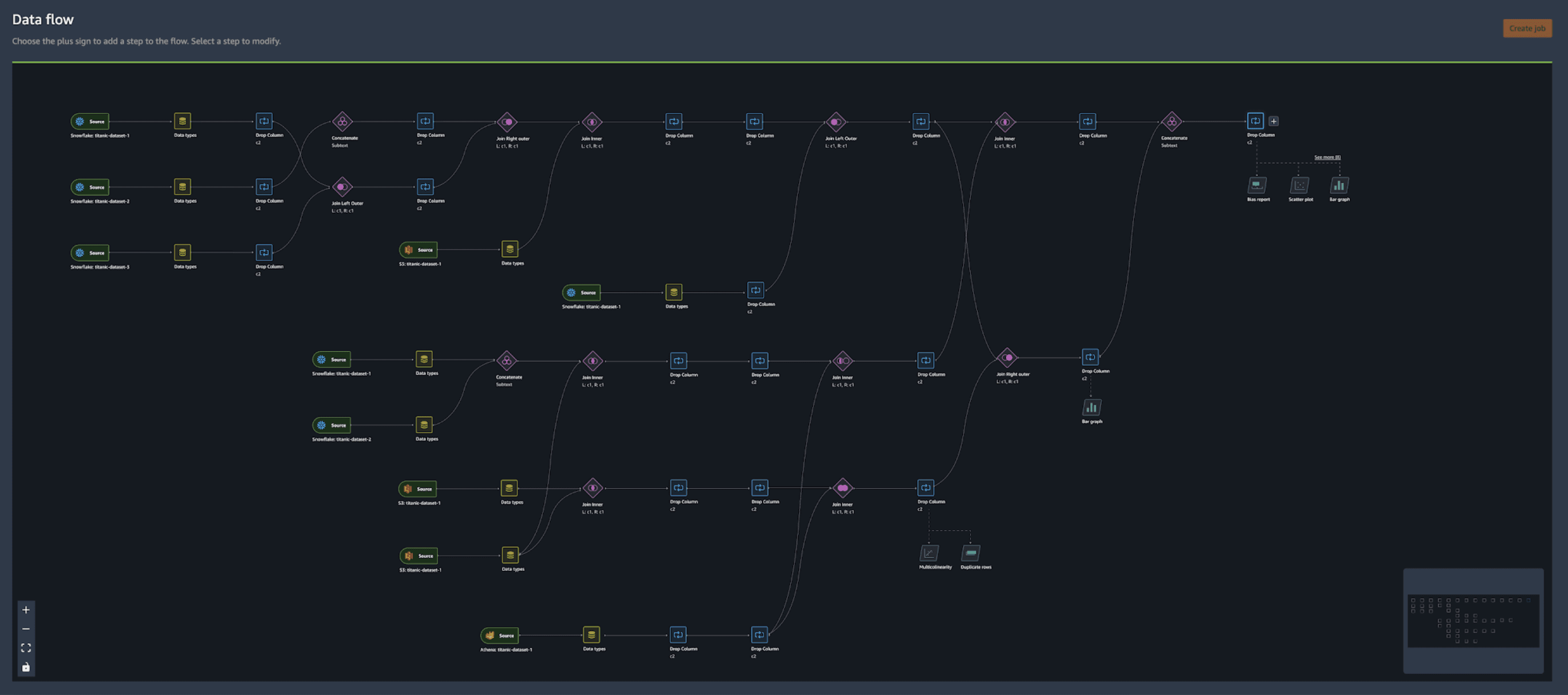
Improved scan-ability : Designed new icons to help users quickly differentiate between various steps in the flow.
Highlight key information: Clarified text labeling displayed on each step to be more descriptive by allowing users to instantly see key details without needing to click to view details
Improved hierarchy: Made clearer distinction between steps that alters the data versus steps that show a visualization of the data (and doesn't alter the data) through improved information hierarchy.
User goal
Quickly understand their workflow to speed up their process of the "doing"
Differentiate different types of nodes so that they can quickly scan their data flow.
See the node metadata more ‘expressive’ so that the they can see which columns they’ve dropped.
See data visualizations as their own node so that they can distinguish which nodes have visual analyses.
Design principles
Ensure a consistent, scalable, and scannable experience
Consistency: Visual treatment informed by current DW and other nodes experiences
Scalability: Compatible with all types of transformations
Scannability: Quickly scan and identify transformations occurring in the data flow.
Competitive analysis
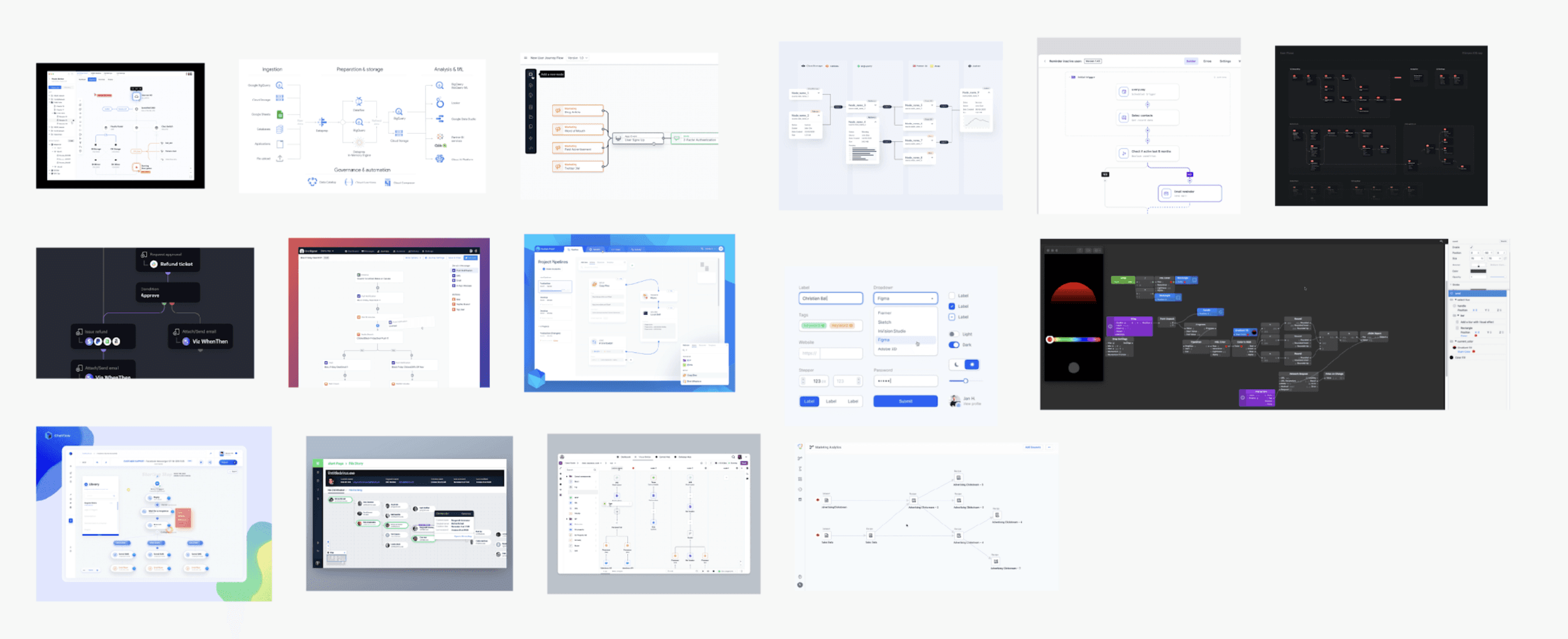
I began with competitive benchmarking of similar visualization interfaces to synthesize industry-standard UX patterns.
This research established best practices for node-based workflows and dark-mode themes, ensuring the final design was familiar and intuitive. I then explored several node styles by quick sketches, creating mockups, and experimenting with different color palettes.
Ideation and iteration
A/B testing with internal testing with 26 stakeholders
I explored options and evaluated each concept through design team reviews. Through reviews, the designs were more refined and the direction became more apparent.
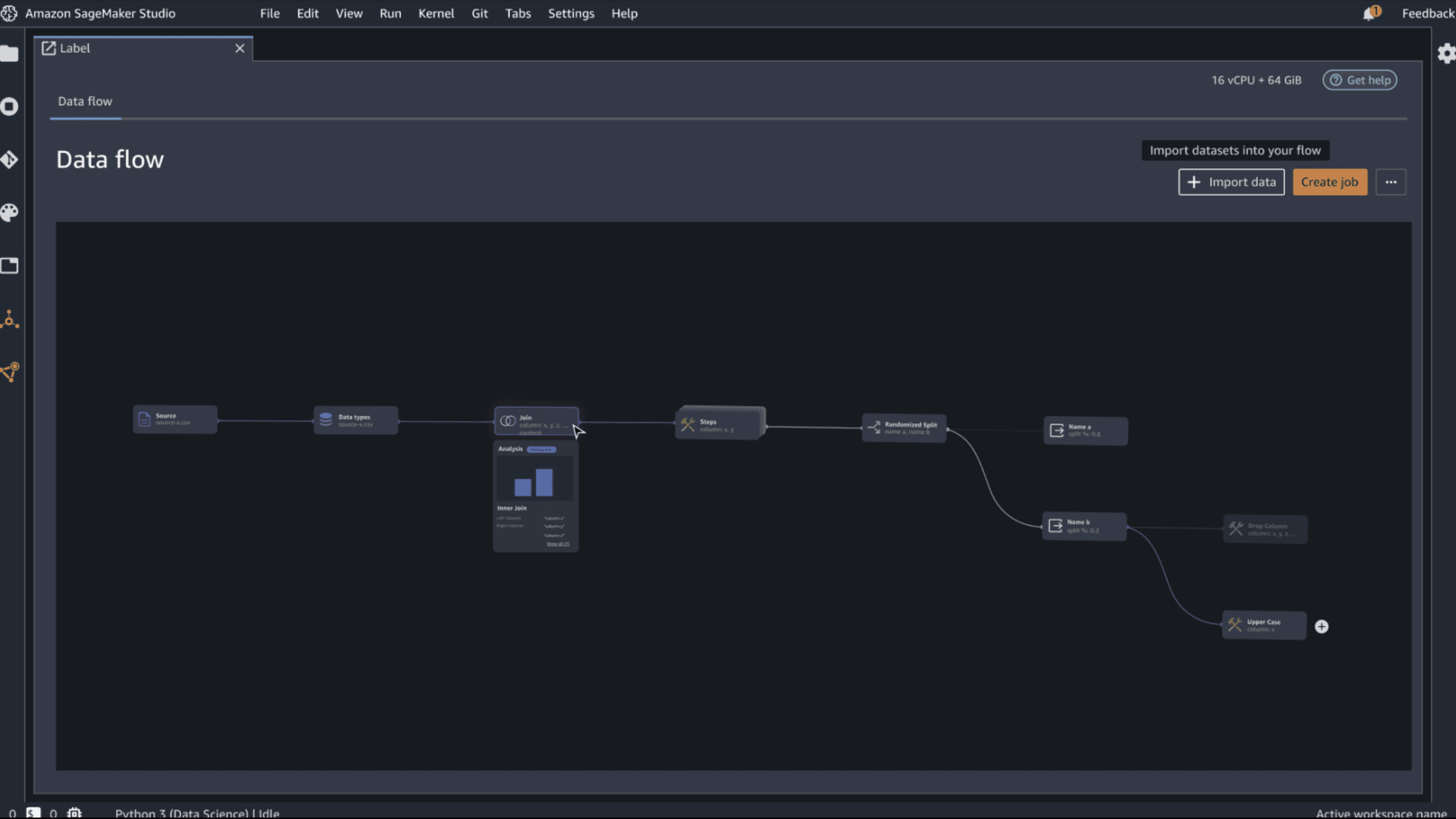
V1
Pros: Progressive disclosure hover interaction helps the user quickly see details
Cons: Steps not very distinguishable from each other due to same shape
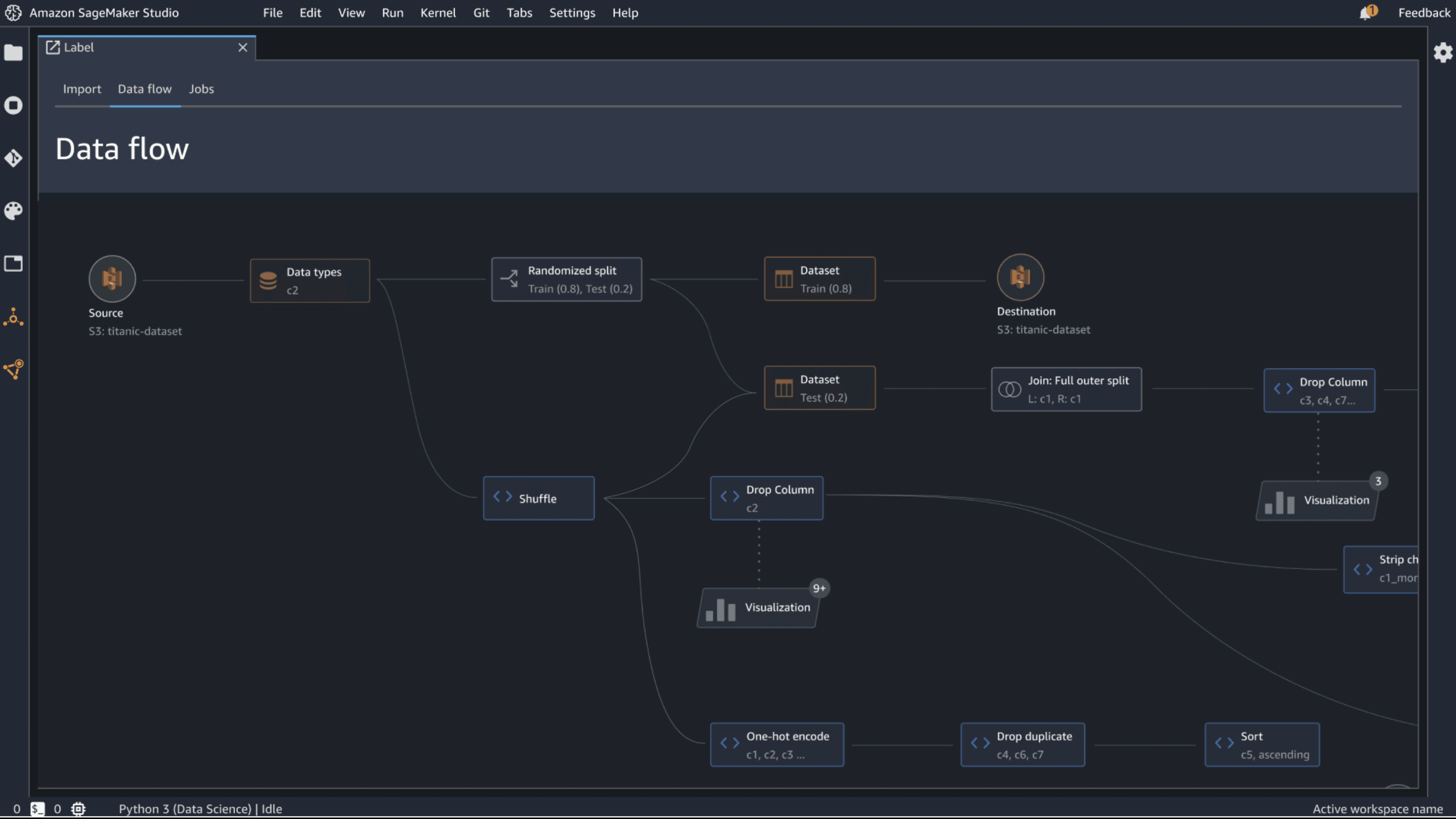
V2
Pros: Assigning the nodes different colors helped to differentiate each other
Cons: Horizontal length of the nodes took up valuable screen real-estate. How can we show more nodes in the same frame?
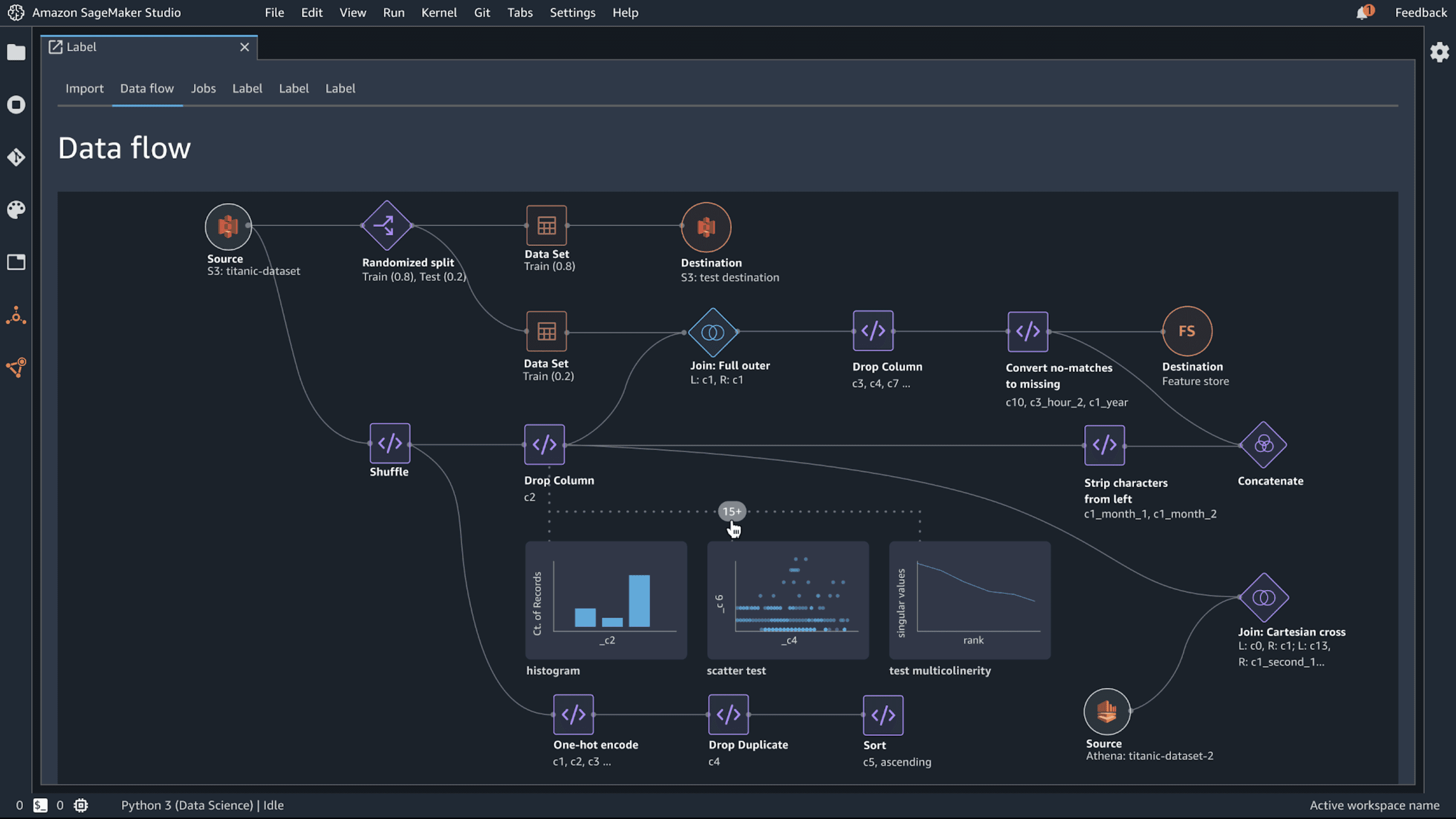
V3
Pros: With the combination of color and form, and updated icons, the workflow helped to visual inform the function of the node. Preview of visualizations gives visibility to the user of the content in their flow.
Cons: Visualization preview takes up a lot of real-estate. How can it be more simplified yet still inform the user of the kind of visualization?
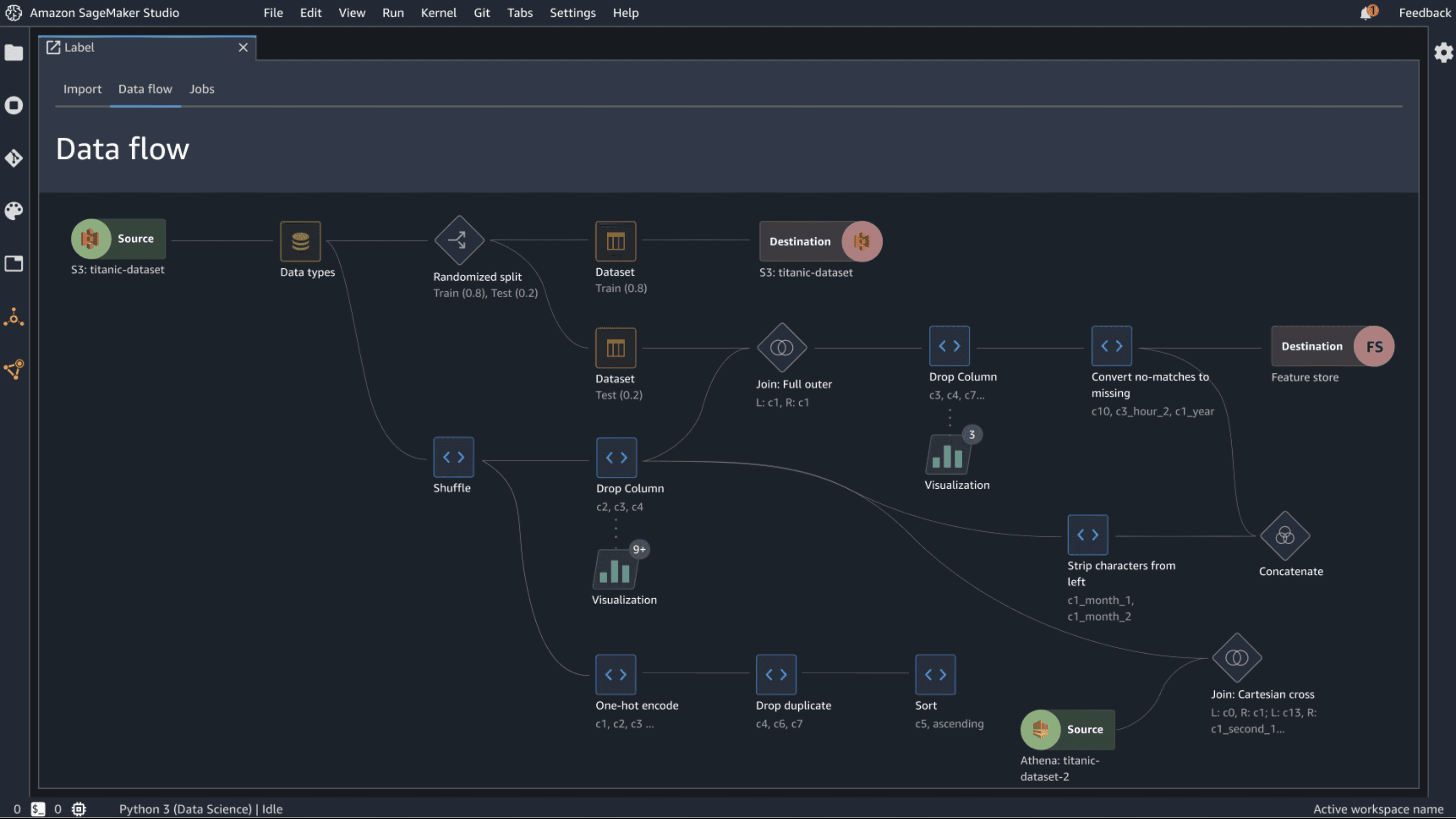
V4
Pros: Source and destination nodes are clearly differentiated to show a start and end of a flow. Visualization nodes have custom iconography to inform user what it looks like.
Cons: Not able to see visualization preview on hover. (Engineering constraint given the timeline)
Refinement
A/B testing with internal testing with 26 stakeholders
I explored options and evaluated each concept through design team reviews. Through reviews, the designs were more refined and the direction became more apparent.